/* BeejBlog */
Showing posts with label GPS. Show all posts

Trail Map Image to Google Earth

The idea of taking PDF or PNG/JPG based trail maps from anywhere you can find and loading them into Google Earth (GE) on your mobile device to give you a live GPS trail map.

Basic tools you need:

  • A “KMZ Builder” - to turn the raw image into a KMZ file. The primary task here is mapping specific pixel points on the image to their real life lat/long. The easiest freebie I’ve found so far is Google’s Custom Maps tool for Android. It sounds like ArcGIS also provides this capability but that’s a fat commercial PC package.
  • A “KMZ Loader” – for whatever idiotic reason current versions of mobile GE only load KML’s not KMZ’s. PC GE actually does load KMZ’s directly so maybe there’s hope this will fall away in future revisions. Here are Android and iOS KMZ loader apps that have worked great for me. I believe they simply extract the KMZ and feed the contents to GE automatically behind the scenes. On Android the dang thing works by firing up a mini web server to provide the KML how GE wants it… amazingly GE will only retrieve these suckers from a web URL, not a local file.

KMZ’s are convenient in that they carry the KML and the map image file together in a ZIP package. KML is just some simple xml describing pertinent info like the lat/long points and an href to the image file. If you’re curious about the KML, just rename the example .kmz file linked below to .zip and take a look at the very simple contents in notepad.

The greater Seattle area obviously has tons of cool trails… we’ve been exploring Whidbey Island lately… but I’m not finding much of any of them logged in the Garmin products I have nor on Open Street Maps. *BUT* there does seem to be decent trail coverage provided from PDF/image based trail maps on all the various federal/state/county .gov sites. And that’s where this little approach comes into play.

Taking the basic approach to the next level - Photoshop the original map image such that there is only the raw trail lines sitting on top of a transparent background. The result looks pretty dang good when loaded into GE. Tip: Use the Select > Color Range menu, hit the white background of your map with the eye dropper and play with the “fuzziness” slider. You’ll get all of the background selected to where you can hit CTRL-X to delete it leaving the trails freestanding on transparency (save as PNG file format). CTRL-SHIFT-I to invert the selection to only the trails and then Image > Adjustments > Replace Color to flip the lines from black to white to make them stand out when overlayed onto GE.

Here’s an example KMZ I’ve slapped together from this source PDF. You may notice it’s not quite lined up, I believe it’s only a matter of taking more care when using the Custom Maps tool… but it should give you the idea. If you load GE on your PC, you’ll be able to double click this file to see what I’m saying. It all rotates in 3D and even gets “clamped” to the terrain! From what I can tell, once GE has cached your tiles, you can count it working offline.

Before
image
After
image

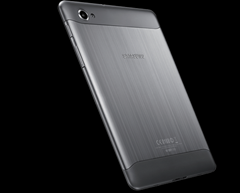
Samsung Galaxy Tab 7.7 (P6800)


(My previous go to device, the Samsung Q1 Ultra.  She served us well. :) Have we come a long way in 5 short years???
Highlights:
  • 7.89mm (0.31 inch) thick - just amazing to hold
  • 345 grams (0.76 lb) – makes for a great eReader… the brushed Alu back is nicely grippy after your hand has warmed it up for few secs (our Kindle 3G is 247g, 8.5mm and eInk is definitely cool for reading but it’s not color, smaller screen, lower res, not touch and isn’t app-tastic. Kindle Fire is 413 g, 11.4mm.)
  • Super AMOLED Plus screen, 1280 x 800 res – very pleasing as everyone points out. But to be totally frank, I ride outdoors a lot, and these are really no better in direct sunlight than anything else LCD based… indoors or even in a casted shadow, the screen is very nice.
  • 1.4GHz – everything runs nice and peppy on Android 3.2
  • 3G – HSPA+
  • microSD – surprisingly, the 8.9, 10.1 sibling tabs do not support an SD card. The original 5” Note and Tab 2 10.1 & 7.0 do, however.
  • full HD video MPEG4, H.264 play very smooth… I’ve tried just a few, one MKV wouldn’t play audio, another would.
  • 5100mAh battery
Some rather obscure downsides I’ve noticed so far:
  • When USB connected to a PC gtab 7.7 does NOT mount as a mass storage device; It mounts as an MTP device. For one, we don’t get a Windows drive letter. Drag and drop from Windows Explorer is basically the same… but various sync tools only work with mass storage. This post indicates that Honeycomb’s mixing of filesystems in the system folder structure is what renders mass storage infeasible (to PC’s).
  • The microSD card natively mounts to /mnt/sdcard/extStorages/SdCard … there doesn’t appear to be an Android standard established so (some) apps don’t know where to find it.

[Update: 2012-12-18] Upgrading to Samsung OEM Ice Cream Sandwich Android v4.0

Recommended (and not) Accessories:
The Tablet :)
image
I got mine for $645.50 from Amazon Market Vendor “Transformersandgsmphones” … it shipped very fast and was a brand new unit. Caveat: From what I understand, units purchased through grey market like this will be difficult if not impossible to submit for any warranty claim.
AmazonBasics Stylus
image
  • $11 from Amazon
  • Highly reviewed
  • Soft tip seems bulbous at first but in actual tablet usage turns out to be very appropriate. Still, I think I would really like the pressure sensitive line thickness capability of the Note models’ smart pen.
SanDisk 64GB microSD card
image
  • class 6 but speedy enough
  • it actually works
  • 7.7 formats it as fat32/vfat by default… there are some tools for getting it mounted as NTFS, IFF you think you need >4GB files… I found the tools not working right away and think I’ll be fine on fat32.
  • Got mine for $119 @ Amazon but that price is dropping almost daily! hold out as long as you can!
RAM-Mounts Cradle
(RAM-HOL-TAB-SMU)
image

image
  • I love RAM-Mounts and this is the absolute *PERFECT* fit for the GTab 7.7 in scenarios like bicycle handlebars.
  • The middle sized cup is a very satisfying fit for the GTab 7.7.
  • It will work great with a rubber case or naked. The grip spring is very strong. I bounced along a VERY bumpy 8 hour bike ride recently and there is no way the tablet is coming loose.
  • $28 from GPSCity
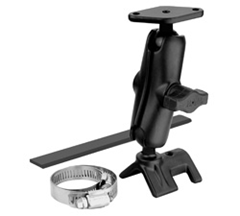
  • For bike handlebars I recommend pairing the cradle with this RAM kit comprised of a “strap rail base”, medium arm and diamond plate.
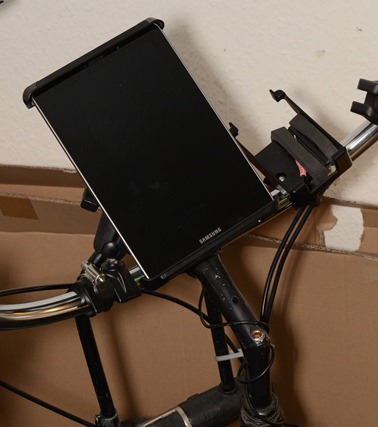
  • DSC_5916-50%-1530x1701
Sea to Summit Waterproof TPU Case
image
image
  • Make sure you get the LARGE version… it’s a nice fit for the tab 7.7
  • I’m using it in tandem with the RAM-Mount cradle above and it does fit. The extra material at the top is kind of crammed in there and there’s a bit of bowing in the plastic surface.. but the touch screen works fine.
  • Honestly, depending on how often you plan on needing that sort of thing you might just get by with a new heavy Ziploc bag each ride… hi-ho landfill! :)
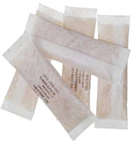
  • I went ahead and got some Desiccant packs while I was at it just in case… you may have some in an old shoe box or something
  • $20 @ Amazon
Samsung OEM “Book Cover” Case
OEM Samsung Book Cover Case for Galaxy Tab 7.7 EFC-1E3NBEOEM Samsung Book Cover Case for Galaxy Tab 7.7 EFC-1E3NBE
  • A bit pricey around $40 street and often out of stock
  • I definitely like how this fits into day-to-day usage
  • it’s thin, light, hard shell, unbreakable kind of plastic
  • tab snaps into stiffer corners so it won’t fall out
  • there is some corner drop protection… not extensive rubber pads, but some extra shock absorption plastic there on the corners.
  • there is rubber on two edges so theoretically you could stand it up in landscape mode but I have found that the angle where it will stand up without sliding back down flat is not really conducive to real usage… one would have to rig something behind it to block it from sliding.
“OTG” USB Host Adapter
image
  • OTG = On The Go… apparently it’s a standard that allows for swapping the master-slave role … not sure why that helps since we’d want the tab to be the host in all scenarios I can think of… flash drive, hard drive, keyboard, etc.
  • $6.70 @ Amazon
  • See USB Mass Storage Watcher in the apps section below.
  • No surprise, the tab couldn’t power a 2.5” USB HDD.
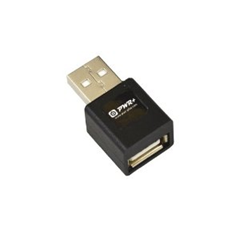
USB Charge Adapter (aka “Filter Plug”)
image
  • This little bugger takes some explaining… the nutshell is that some of these devices like the gtab are checking for a special USB pin configuration to take a charge from a USB connection.
  • This is an example thread to get some more background… including self hacked cables.
  • The other thing to be aware of is that the stock AC charger pumps 2.1Amps… so if you go with another source (e.g. external batt), then you want to shoot for that higher amperage to ensure the fastest charging… see “External Battery” section below,several units are addressing this requirement now.
  • Got mine on Amazon for $5.90 + $5.50 shipping (gip)
  • They go for super cheap on eBay and DealExtreme
External Battery
PowerTraveler PowerMonkey eXtreme
image
  • I wound up getting a yellow model for $180… it’s smaller than I thought it would be (which is great). Very light and portable. I like the overall package even if it is a little too pricey. I honestly haven’t used it much at all since my whole paradigm shifted once we left Germany and moved to Seattle. Hopefully this will all swing back into normalcy once we get moved into our new money pit and can hit the trails in a camper with the kiddos.
  • review
  • $190
  • 9000Mah
  • 2.1A USB with a pigtail
  • 242 grams
  • AUTO-OFF
  • completely WATERPROOF
  • comes with a CASE, lots of tips & outlet adapters
  • does NOT come with the required USB adapter for the gtabs; see USB charge adapter above. PowerTraveler does sell their own version of this adapter.

Alternatives:
Bluetooth Keyboards
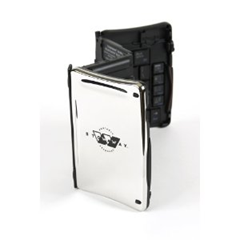
Think Outside/Sierra Stowaway AND AmazonBasics model
imageimage
  • Foldup styles:
    • Long since discontinued, the Think Outside is slick, fragile, but very slick… the key feel is great and the outside snaps shut into a cool shiny, chrome case… they’re experiencing a funny price spike circa Q1 2012, going for $250 on Amazon is crazy… this thing probably retailed for $100… I got mine for $65 on eBay a couple years back… there is another Stowaway model - iGo Ultra Slim that only folds once and seems practical as well.
    • Nomad Mobile has a good rendition of another common style single fold … these go for cheaper elsewhere.
  • Non-foldable:
    • The Apple Bluetooth Keyboard is the gold standard really... razor thin, aluminum, awesome feel to the keys.
      • one catch, no friggin delete key... there's a backspace but no "forward" delete, you have to hit FN-Backspace to get forward delete.
      • also, no true numpad but that's sort of what you want in a portable anyway.
    • I noticed Amazon has a nice knockoff of the Apple style now.
      • It has a delete key and there's a customer image that shows it's actually a tad shorter than the Apple.
    • Logitech has a polished looking tablet keyboard option with integrated case/stand now too:

           image
Media / Charging Dock

image
  • Has HDMI but it’s annoyingly the mini version invariably requiring more hanging adapter bulk :(
  • Also has headphone audio out if you need it.
  • The usual plastic quality build, basically works but feels kind of wobbly when you insert.
  • I’d give this a mild recommendation… didn’t see anything else as a worthy challenger at the time.
Zephyr HxM - Bluetooth Heart Rate Monitor

image
  • You can also go with a Nike+ wireless protocol, Polar makes a Nike+.
  • or there’s the more open ANT+ protocol, for which Garmin has a couple ANT+ monitors and are the cheapest… ANT+ sounds reliable but,
  • I went with Bluetooth to avoid the need for an ANT+ dongle… some phones are starting to include this radio natively.
  • Bluetooth options are slim, the Zephyr seemed to review better than the Polar Bluetooth.
  • Amazon wasn’t stocked so I ordered from Endomondo for $75 bones (ouchy)
  • Pairing worked as instructed, showed up right away in the Endomondo sports tracking app and reported numbers similar to my arm band blood pressure monitor.
  1. Make sure it’s fully charged, plugged to the strap, the strap pads have to be pretty wet & you have to put it on
  2. Do normal Android bluetooth pairing; code: 1234
  3. Then go into the Endomondo app > Settings > Accessory Settings > Connect To Sensors > Scan
Mujjo Capacitive Gloves
image
  • Couldn’t resist springing for these while I was at the Endomondo store – $35 … kinda pricey
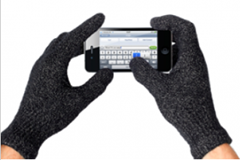
  • They work… Angry Birds is playable, I wouldn’t want to type with them though… I got the Male M/L size… I would say my hands are medium and there’s just a bit of extra length to the fingers… with normal gloves I wouldn’t care but it obviously matters for touch screen precision… if you have small hands, consider the women’s size… they are very stretchy material.
Not Recommended
Motorola S10-HD Bluetooth Stereo Headphones with Microphone
image
  • $60 @ Amazon
  • too expensive in my opinion
  • the headphone sound is “OK”
  • the microphone sound quality is pretty bad
  • they’re really tight on my ears with my fat head and the design just makes them that way with no relief … I basically hate these and wish I never got them at this point… anybody want a deal on a completely unused pair?
  • all the buttons you’d want… volume and pause/play, fwd/rev and probably a call hang-up
Case Logic LNEO-7 7-Inch Sleeve
image
  • Update 2012-07-4: I wound up going with the OEM Samsung “Book Cover” case and haven’t looked back. See those comments above.
  • It’s “OK”… fits pretty well…just a little snug around the corners but not bad
  • no room for much of anything in the cramped pouch… the USB cable and a pigtail would be about max.
  • Can’t lose for $14.50 @ Amazon
Armor Suit - Screen Protector
image
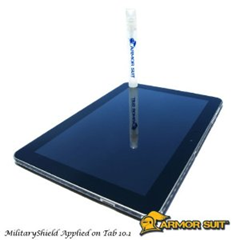
  • This one looked good to me because it has a liquid approach to ironing out the bubbles … update 2012-07-04: the spray bottle solution was a good trick, I still got dust in there but that’s hard to avoid.
  • I paid $17 + shipping @ Amazon and it’s already down to $10… feeling a bit gipped :)
  • After I got the Samsung Book Cover case (see above), I ditched the screen protector, feeling that it took away from the display a bit and the case is plenty of scratch protection during transit which was my personal biggest concern… this is definitely personal preference area.
Wish List
Keyboard Stands & Charging Docks
Incase Origami Workstation for Apple Wireless Keyboard

image
  • Haven’t found anything perfect yet… everything is missing something... at the moment, a makeshift cardboard stand with the charge/usb cables is working better than I expected.
  • Samsung’s keyboard dock - doesn’t have HDMI port
  • Also just considering a case/stand for my Apple Bluetooth keyboard – Incase Origami Workstation: demos ok, not great
 
 
Recommended Apps:
 
App Name
Notes
root.zip (free)
(gtab 7.7 specific)
rooting instructions
BusyBox (free) Loads grep, awk and ash (shell)
SuperUser (free) Everything cool requires it
Android Terminal Emulator by Jack Palevich (free)
  • Make ash (from BusyBox) the default shell: /system/xbin/ash –
  • Make this the initial command to be su by default: su –c /system/xbin/ash
Root Explorer ($$) Has a nice and easy “mount as R/W” button.
ES File Explorer (free) Does everything in one shot… nice icons, *fast* SMB client (Windows File Sharing), FTP client, built in text editor, image viewer, even movie player
NtfsSd (gtab 7.7 specific)
  • Found in this xda-dev thread; mounts your NTFS formatted external sdcard in the native path (/mnt/sdcard/extStorages/SdCard) which is a bit of trick… main advantage for me is that external SDCard shows show up in Explorer when USB connected to PC; other NTFS mounting approaches (e.g. Drive Mount) were not showing SDCard on PC.
  • Symbolic links don’t work to fat32/exFat/vfat hence why NtfsSd is doing an interesting trick of some sort.
  • There is a native linux command for mapping external filesystems (i.e. a FAT drive) to internal paths but it doesn’t hold up across reboots which becomes more of a pain than you’d initially think.
    • mkdir /mnt/sdcard/extStorages/SdCard/Music
    • mount -o bind /mnt/sdcard/extStorages/SdCard/Music /mnt/sdcard/Music
USB Mass Storage Watcher OTG (free) (by Skidmrk) Mounted my 2.5” USB NTFS HDD via the OTG USB pigtail just fine (the HDD required external power).
OsmAnd (free, but buy it) This really makes my day… Open Street Maps (OSM) with the Open Cycle Maps (OCM) layer is the bees knees… this App readily downloads the map tiles for whatever is currently displayed, with whatever zoom levels you choose and then you’re ready to go off-road/offline… couldn’t be easier… it even does offline routing!!
Evernote Skitch and all the integration on a mobile device is pretty killer.
Tasker, Locale Execute Plug-In I came across this as a way to re-run mount commands after each reboot (see “mount –o bind” notes above).
doubleTwist (free) + AirSync ($$) It basically works but I punted… The issues I have are probably mostly related to the still settling Android SDCard ecosystem.
Music WithMe (free) Currently trying this as my iTunes sync’er after doubleTwist (DT) would only see internal storage Music folder… Tasker + Execute + bind mount (above) probably would've bridged that gap but Music WithMe (MWM) has a simple music storage path setting, looks promising. MWM seems to report its sync status more robustly than DT. MWM integrates through FaceBook so you get into sharing what you're listening to and what friends are listening to. I'll check that out if the basics pan out.

Car GPS Navi Shopping

TomTom lineup

Obfuscated Marketing Buzzwords (OMB’s) abound in this segment… it’s taken me many GC’s (Google Clicks) to distill what is sold down to differentiable features.

As always Wikipedia is our friend.

Euro vs US product availability – if you sit on the Car Navigation product page and flip back and forth between the various locales (very bottom of all pages), you start getting a feel for what’s available where… DE has the “Via 125” listed right now, where GB has the “Via 120 Live” and the US doesn’t even list the Via line at all.

“GO” product line – the main difference I see here between the X/XL products is that GO includes microSD card slot and the prices are significantly higher for otherwise equivalent model/features.

“IQ Routes” – application of historically collected consumer based traffic data to your current route (TomTom.com IQ Routes home page).  This data is collected from all of us by uploading via USB connection to the “Home” application on our PC’s.  This data represents driving speed per road segment per time of day in order to be most accurate.

“HD Traffic” – analytical combination of mobile phone generated traffic data in addition to traditional government traffic data sources. Highly detailed white paper (from HD Traffic home page).  Delivered every 3 minutes to capable devices via Live services (see below).

“Via” – appears to be the latest model line sporting most of TomTom’s contemporary functionalities combined (e.g. 5” screen, voice control, Bluetooth-hands free calling, Live Services, 4GB internal flash mem, etc, but notably NO SD slot)

“Live Services” – wireless updates via integrated cell/SIM (includes HD Traffic, etc). Delivered every 3 minutes.  Requires a subscription (estimated $10/montly, even though some come with 12 months for free, any subscription like this is a big personal turnoff).

“RDS-TMC Traffic” – live traffic data delivery via radio receiver (product link).  I have confirmed directly with TomTom customer support that the RDS-TMC receiver is indeed included in the box on XXL 540T and XXL 540TM models via the car charger cable.  And that it does provide lifetime traffic information.

Memory – XXL 540TM World Traveler Edition (WTE) appears to be the only XXL 540 model one that comes with 4GB mem.  Although other models are listed on TomTom.com with 4GB, it has been confirmed by buyers that all other XXL 540 models are 2GB only as recent as Nov 2010 (best reference, also see the main thread).

Great hands on comparison between Garmin Nuvi 1490T and TomTom XXL 540S

TomTom enhanced software hacks

  • TripMaster – provides many things include track log

GPS / Mapping / Garmin - Tips

  • GMapToGPX – Export Google Maps route to GPX which then imports to all Garmin stuff ,etc.
  • Garmin Connect.com – Seems like a fun way to start posting our routes and sharing.
  • MapMyRide.com - route sharing forum that does have Germany content

GPS Receivers

Garmin GPS Models

Here’s the main page for the receiver only products (so called “OEM”)

10x (BlueTooth) - this is the one Andrew and I have

  • I finally got it to work well with my WinXP BlueTooth stack by turning off “AUTO CONNECT” checkbox buried under the BlueTooth virtual serial port properties
  • Andrew has always said it works well with his HP WinCE based hand held
  • Runs on a rechargeable battery so you do have to tether it (with included USB cable) every once in a while to recharge
  • Garmin also included the cigarette lighter power adapter in my package… Pretty sure I wound up with two of these due to a screwed up initial shipment so I have a spare in case you don’t wind up with one… cigarette lighter to mini-usb is kindof a handy thingy to have in general these days… would charge other USB power based stuff like MP3 players etc.
  • $107 retail
  • Garmin GPS 10x Receiver for mobile devices
  • The annoying thing is I managed to find an actual Garmin.com link where it was posted as $50… BUT I DIDN’T SAVE THE DANG LINK <ARG!>
  • Cheapest new street price I’ve seen is around $80 (from reputable vendors like TheNerds.net, etc)
  • eBay has a refurb for $50 at the moment

I still wonder if USB might be slightly easier to deal with than waiting for BlueTooth to connect, especially if you’re primarily using in a static environment like a car and it avoids the rechargeable battery dance so here’s a couple of those…

20x (USB)

  • $70 retail
  • this seems to be the one Garmin “recommends” for their PC oriented mapping products

18x (USB)

  • $85 retail
  • says it’s magnetic to hold onto your dash or something

Mapping Software

Maps